LaunchHER By GEM Studio is Live! Cohort 1 applications currently closedUnlock your exclusive VIP Loyalty Card todayLaunch a high-converting store nowSubmit your custom software request hereCreate your private portal account todayExplore our business packagesLaunchHER By GEM Studio is Live! Cohort 1 applications currently closedUnlock your exclusive VIP Loyalty Card todayLaunch a high-converting store nowSubmit your custom software request hereCreate your private portal account todayExplore our business packagesLaunchHER By GEM Studio is Live! Cohort 1 applications currently closedUnlock your exclusive VIP Loyalty Card todayLaunch a high-converting store nowSubmit your custom software request hereCreate your private portal account todayExplore our business packages
GEM Studio Portal Icon

GEM Portal

Client Workspace

Your Exclusive Digital Development Hub

5.0 • Productivity
Access Portal

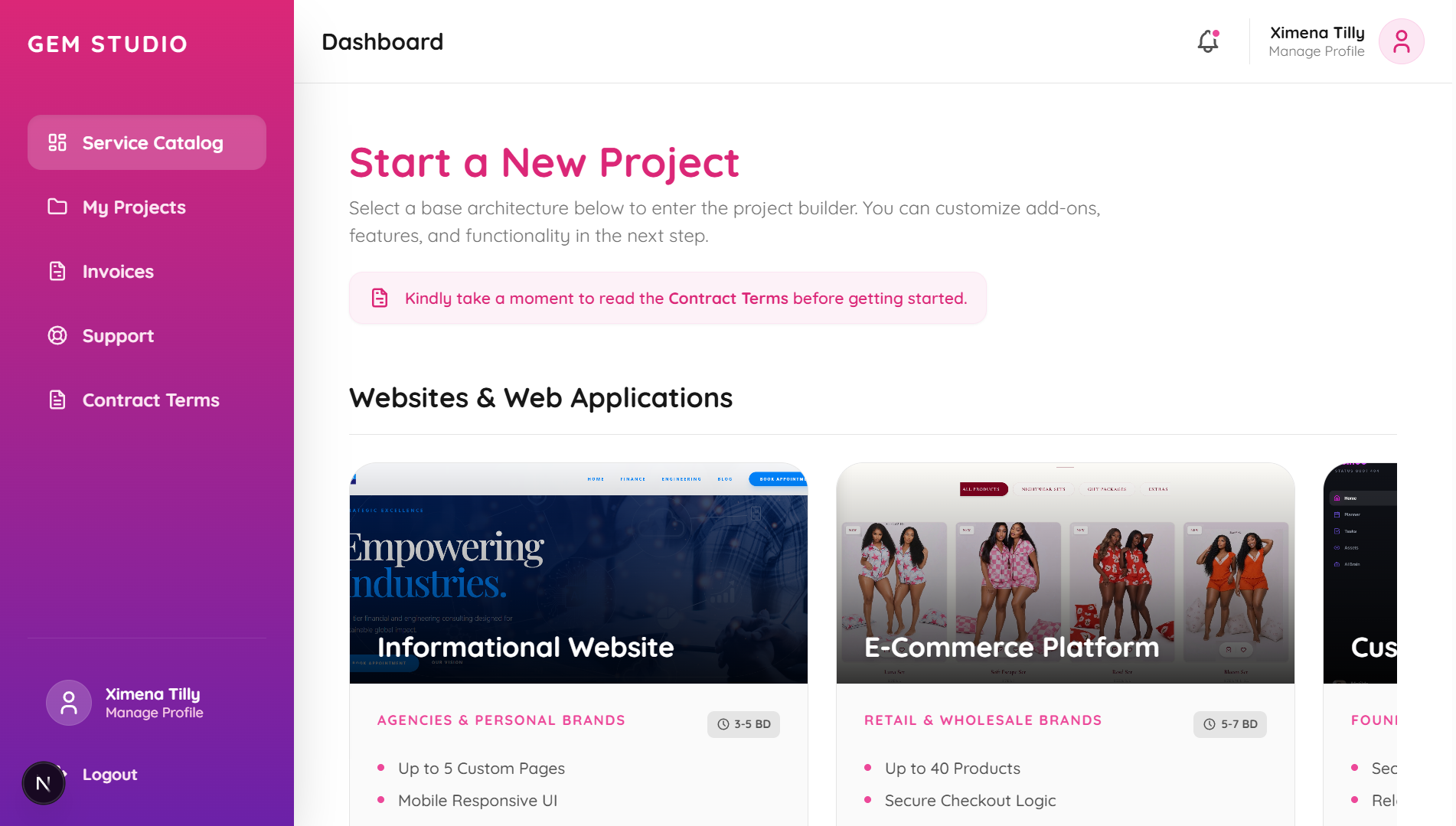
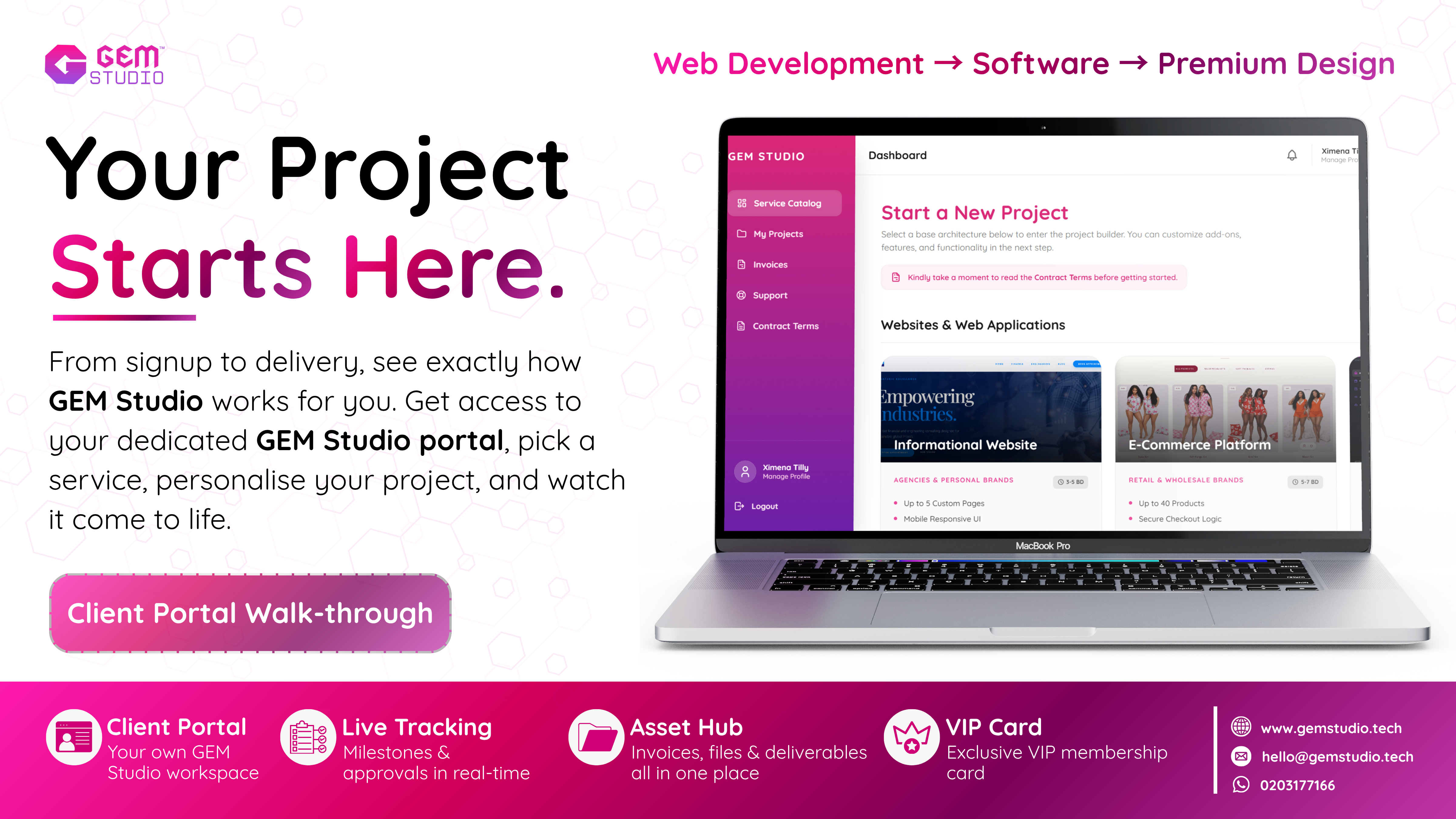
GEM Studio Portal Dashboard Interface

Explore the Workspace
Dashboard Overview Feature Thumbnail
Dashboard Overview
Create Account Feature Thumbnail
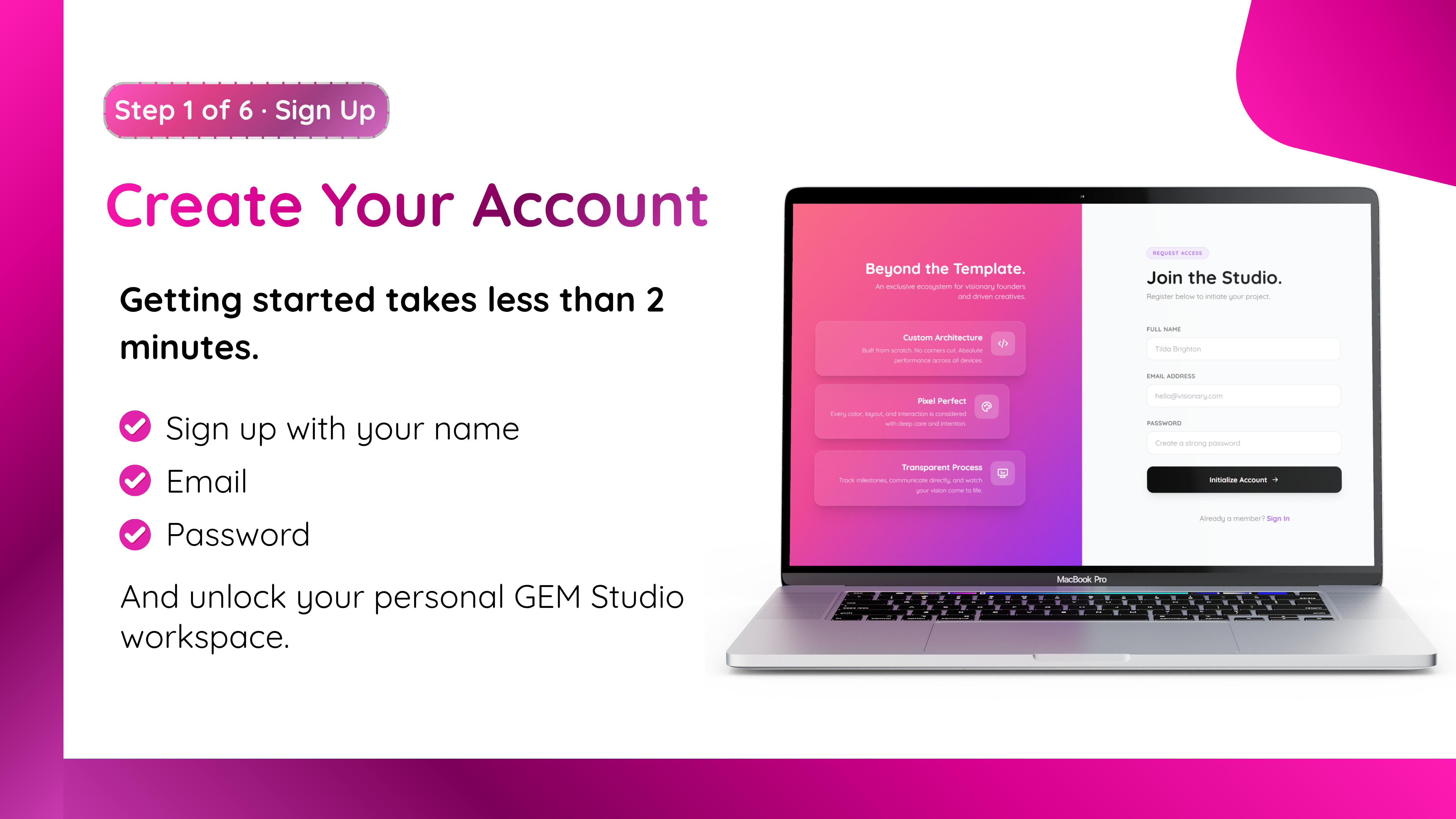
Create Account
Login Feature Thumbnail
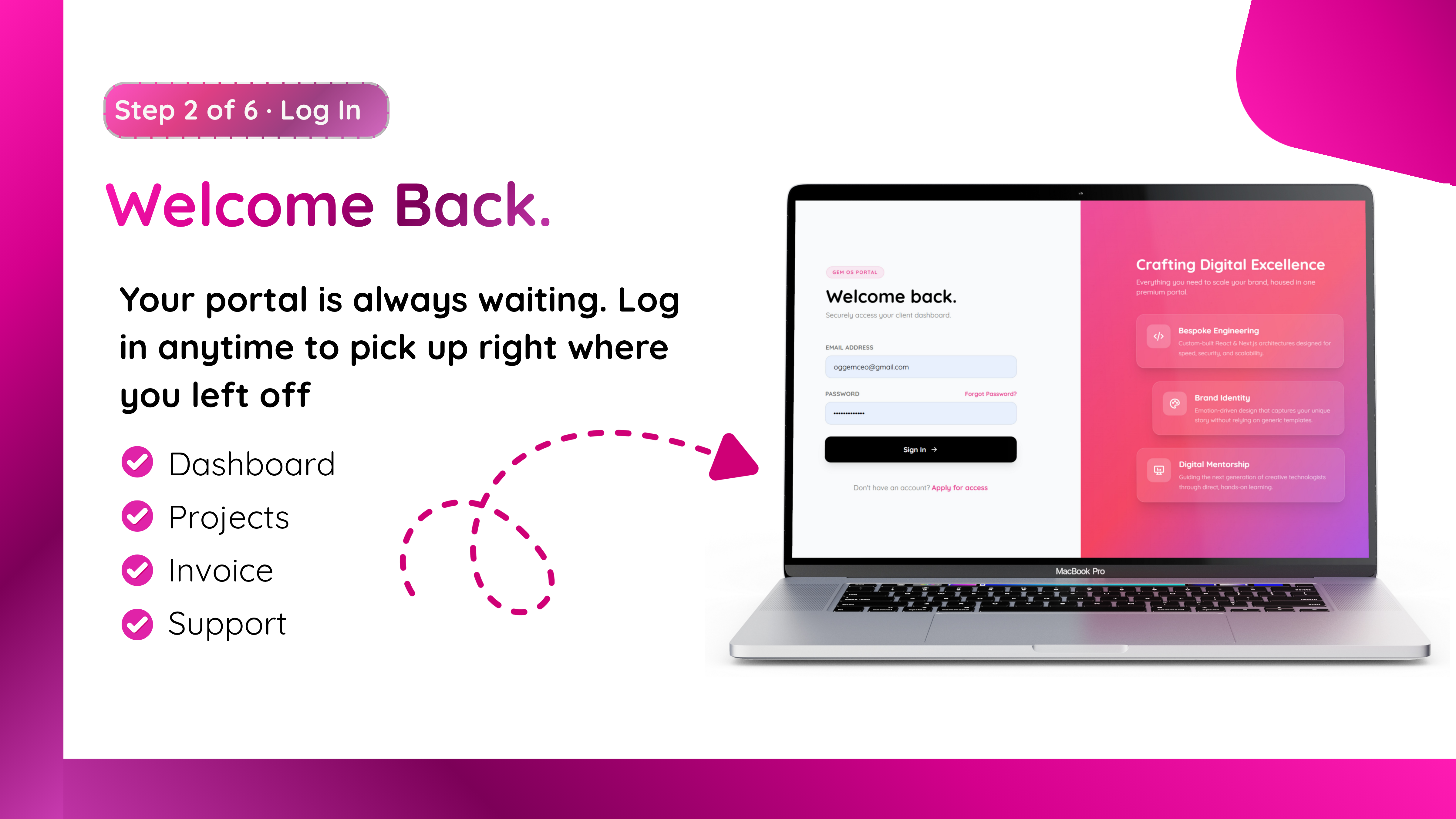
Login
Explore Services Feature Thumbnail
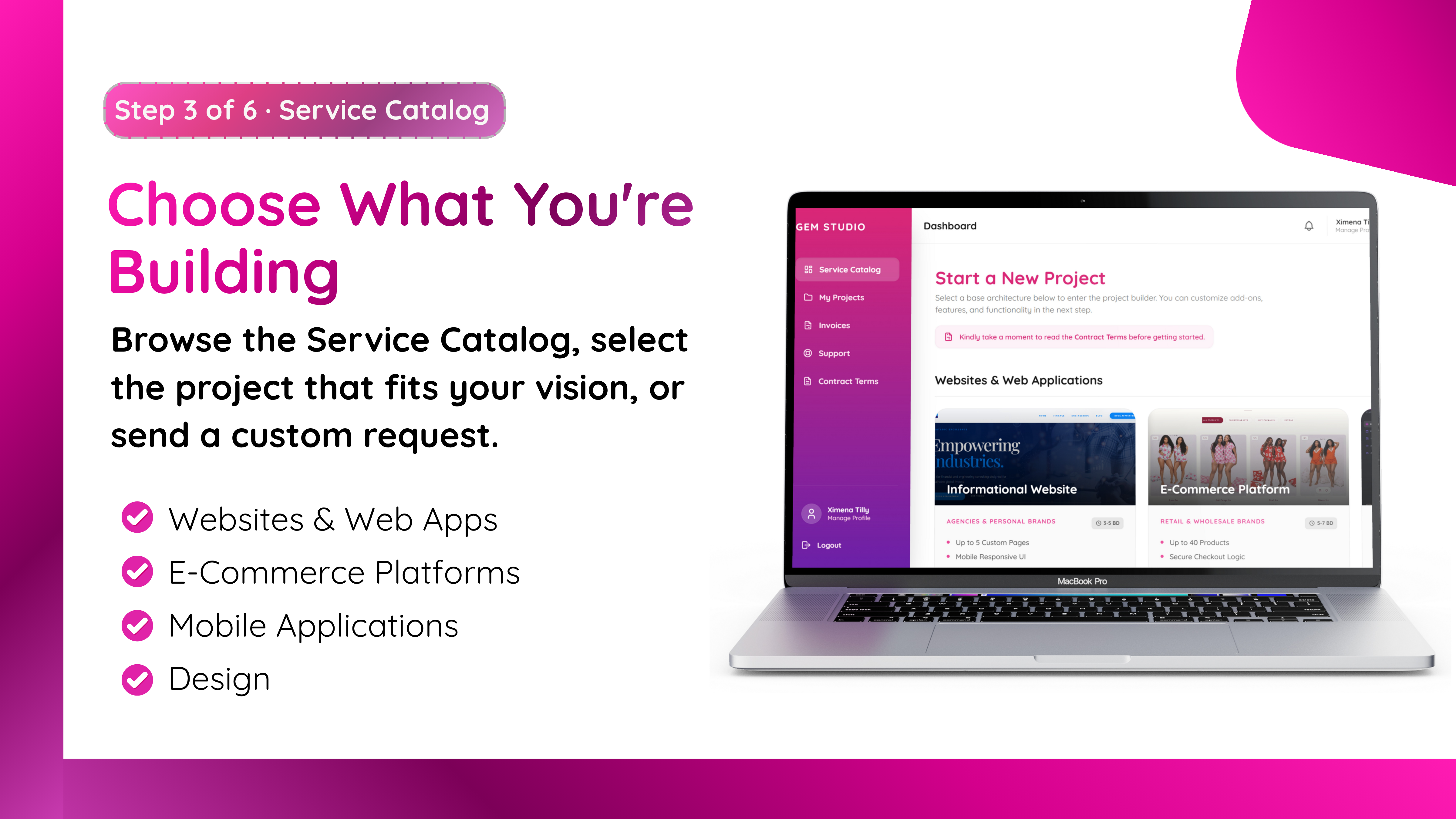
Explore Services
Configure Feature Thumbnail
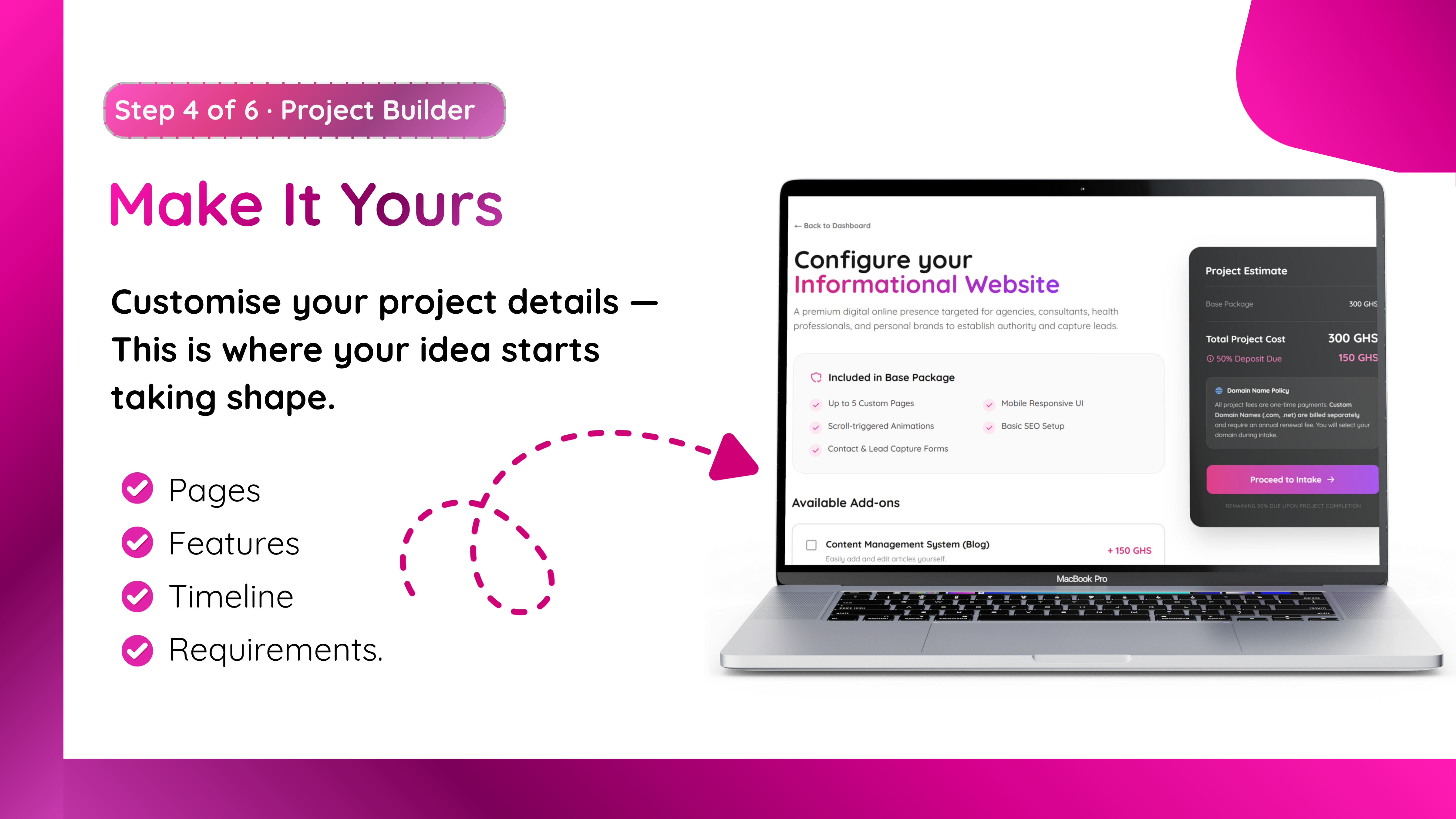
Configure
Add-ons Feature Thumbnail
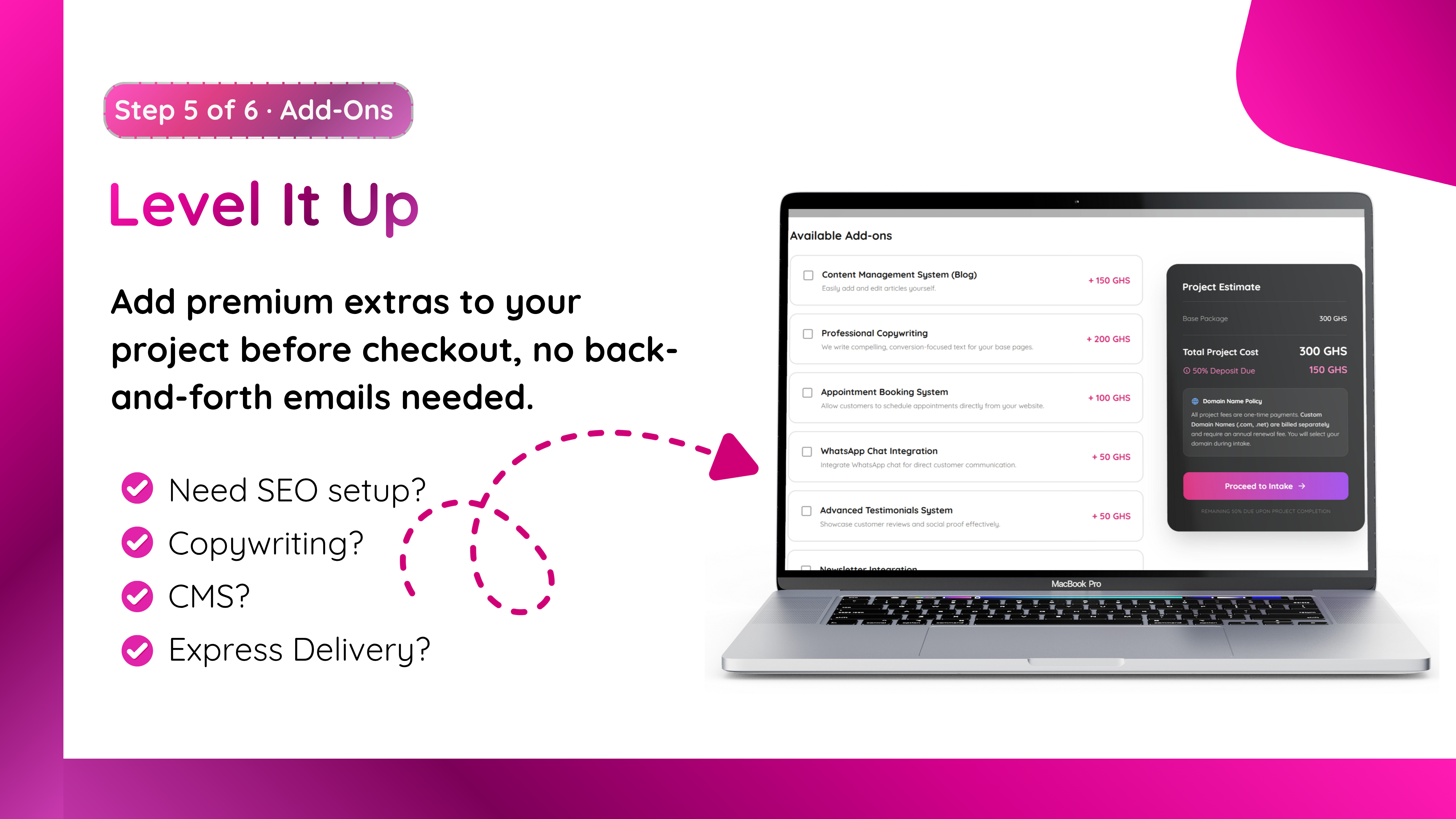
Add-ons
50% Deposit Feature Thumbnail
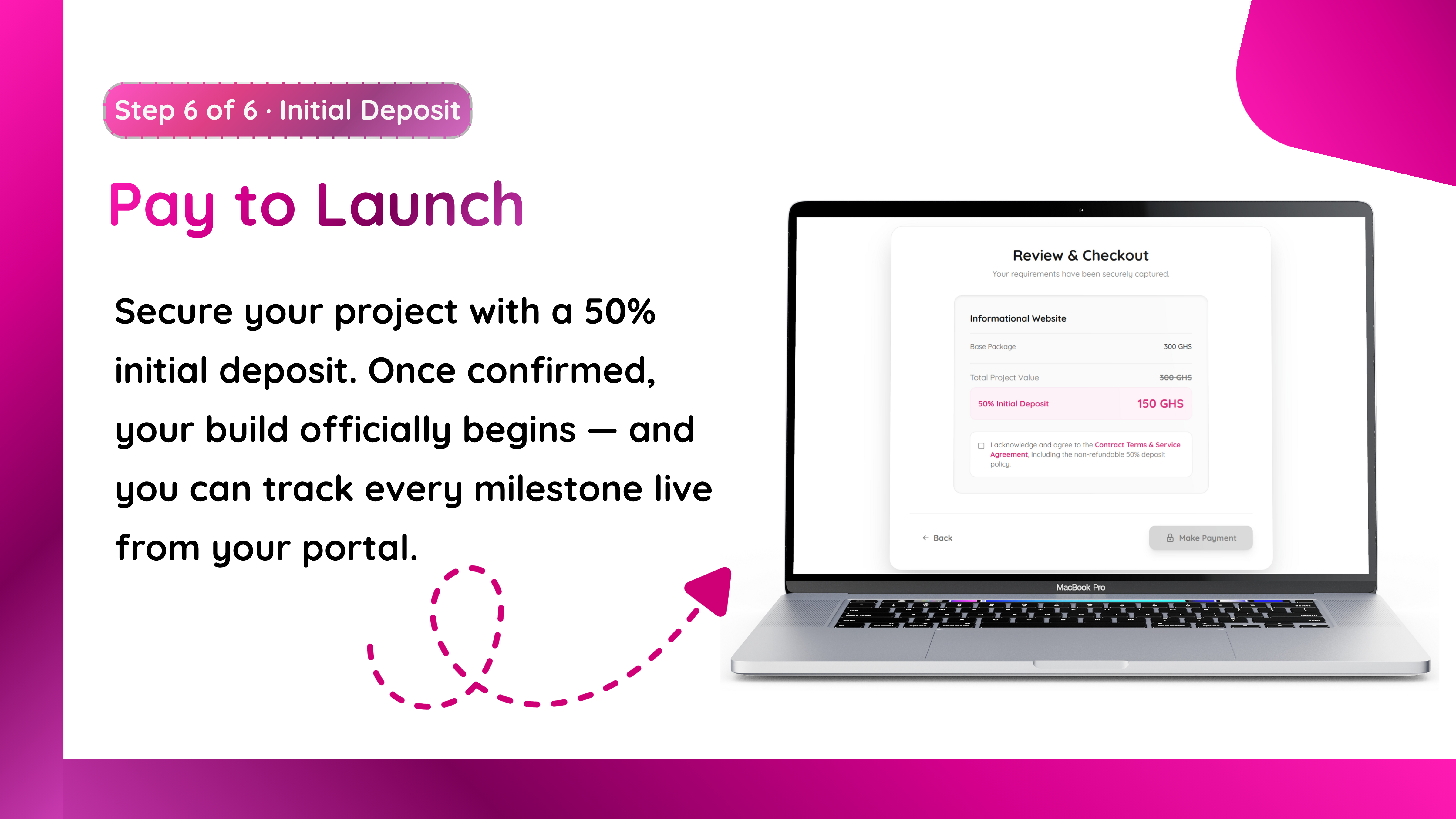
50% Deposit
Profile Feature Thumbnail
Profile

About the Portal

The GEM Studio Portal is a bespoke, private workspace engineered exclusively for our clients. Say goodbye to scattered email chains and lost deliverables. We believe premium digital products deserve a premium development experience.

Inside the portal, you can track live project milestones, review and download deliverables from your dedicated Asset Hub, manage all invoices securely, and submit custom development requests directly to the studio.

Complete three premium projects to unlock your exclusive GEM Black Card directly within the dashboard, granting you priority development status and zero retainer fees.

Install the Client Portal

Desktop (Recommended)

Log in and manage your projects directly from your browser for the best administrative experience.

Android

Open the login link in Chrome. You will receive an automated prompt at the bottom of your screen asking to "Install App" or "Add to Home Screen".

iPhone & iPad

Open the portal in Safari. Tap the Share button, scroll down the menu, and tap "Add to Home Screen".